How to use AI chat to analyze meeting transcripts and generate custom summaries with Demodesk
Learn how to use Demodesk's AI chat to query meeting transcripts, adjust follow-up tone, and apply summary templates for different meeting types.

What and why
Demodesk's AI chat sits directly below every meeting summary. Ask it what your prospect committed to, rewrite the follow-up in a different tone, or swap in a summary template built for the meeting type. No scrolling through a 45-minute transcript to find one decision. Type a question, get an answer. This guide covers the three workflows you'll use most: querying a single meeting, adjusting follow-up tone, and applying different summary templates for different meeting types.
Who this is for
Sales reps, customer success managers, and account managers who run multiple customer meetings per week and need faster ways to extract next steps, tailor follow-ups, and standardize summaries across meeting types—discovery, demo, QBR, kickoff, renewal.
Prerequisites
- A Demodesk Coaching & AI seat (Viewer seats cannot use AI chat)
- Email and calendar connected under Profile → Connections so meetings are imported and the Notetaker joins automatically
- At least one recorded meeting with a completed transcript and AI summary
- Optional: Salesforce, HubSpot, or Pipedrive connected if you plan to push refined summaries into your CRM
Steps
1. Open the meeting and locate the AI chat
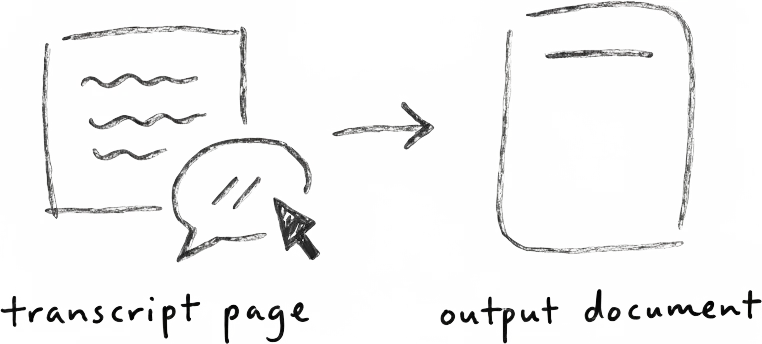
Open any recorded meeting from Meeting Hub and scroll to the AI summary. The AI chat input sits directly below it, scoped to that meeting by default. Every question you ask draws from that transcript. No pasting, no uploading.
2. Ask a question about the meeting
Type a natural-language question into the chat the same way you would in ChatGPT. Common examples:
- “What was discussed and what were the next steps?”
- “Who are the decision-makers mentioned in this call?”
- “What objections did the prospect raise about pricing?”
- “What competitors were mentioned?”
- “Summarize the technical requirements in three bullets.”
The AI Analyst reads the full transcript and returns an answer grounded in what was actually said. If a detail wasn't in the conversation, it says so.
3. Adjust the follow-up email tone
Scroll to the auto-generated follow-up email and use the AI chat to rewrite it:
- “Make this more formal.”
- “Rewrite this in a friendlier, conversational tone.”
- “Shorten this to three sentences and add a clear next step.”
- “Rewrite in German, formal Sie form.”
The AI regenerates the email in place. Iterate as many times as you need before copying it into your email client or sending directly from Demodesk.
4. Apply a different summary template from the catalog
A discovery call summary should highlight pain points and budget signals. A QBR summary should focus on adoption metrics and expansion opportunities. The catalog lets you switch structures without rewriting from scratch.
Open the summary section, click the catalog, and choose the template that matches your meeting type. The AI regenerates the summary using that template's structure while pulling from the same transcript. Custom templates your admin has configured—MEDDIC discovery, BANT qualification, custom kickoff formats—appear here too.
5. Iterate and refine
Combine the three workflows. Pull out next steps with a query, restructure the summary with a discovery-call template, then rewrite the follow-up in a warmer tone. Every change stays scoped to that meeting and is reversible.
6. Copy or sync the final output
Once the summary and follow-up look right, copy them into your CRM manually. If your admin has enabled the CRM connection, push the summary directly into the linked opportunity or contact record via the AI CRM Concierge.
Tips
- Ask follow-up questions in the same chat. The AI keeps context within a meeting, so you can drill down: “What were the next steps?” → “Who owns each one?” → “What's the timeline?”
- Use the chat to challenge the summary. If the summary feels thin, ask “What did I miss?” or “What signals of buying intent were in this call?” The AI surfaces details the default summary skipped.
- Standardize templates across your team. Ask your admin to create templates for each stage—discovery, demo, technical validation, negotiation, kickoff. Every rep using the same template means every CRM record reads the same way.
- Rewrite follow-ups for the persona, not just the tone. Try “Rewrite this email for a technical buyer focused on integration details” or “Rewrite for a CFO focused on ROI.” The AI adapts the emphasis, not just the wording.
- Query across multiple meetings. For account reviews or deal recaps, the AI Analyst can analyze multiple meetings at once—useful for prepping a QBR or handoff.
Related skills and agents
- AI Assistant — recording, transcription, summaries, follow-ups
- AI Analyst — the agent powering AI chat and multi-meeting analysis
- AI CRM Concierge — push refined summaries into Salesforce, HubSpot, or Pipedrive
- Marketplace: Discovery & Qualification skills — pre-built prompts for MEDDIC, BANT, and custom qualification frameworks