How to customize AI Coach scorecards for different meeting types
Learn how to build custom AI Coach scorecards in Demodesk and automate which framework triggers for discovery, demo, or closing calls.

What and why
Demodesk's AI Coach scores every recorded call against a scorecard. A one-size-fits-all scorecard doesn't reflect how your team actually sells. This guide shows you how to create custom scorecards (MEDIC, MEDDIC, BANT, or your own framework) and set automation rules so the right scorecard triggers automatically based on meeting type, participant, or user group.
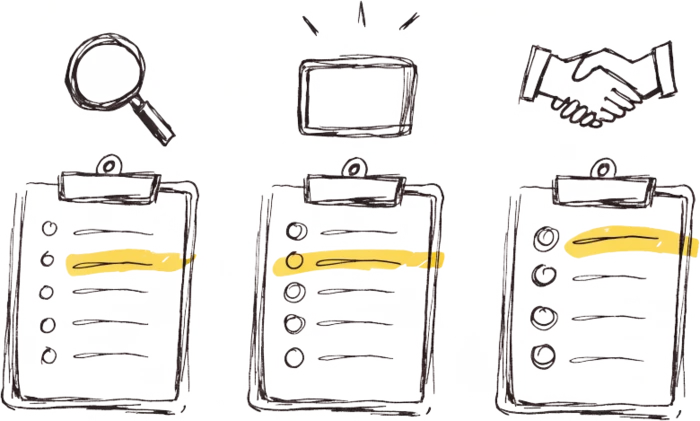
Every discovery call gets scored against discovery criteria. Every demo against demo criteria. Every closing call against closing criteria. No manual tagging.
Who this is for
Sales managers, RevOps leads, and enablement owners who run multiple meeting types (discovery, demo, negotiation, QBR) and want coaching feedback that matches the stage.
Prerequisites
- Admin or manager access to the Demodesk workspace
- AI Coach enabled on your plan (Coaching & AI tier)
- A defined sales methodology or scorecard framework you want to enforce (MEDIC, MEDDIC, BANT, SPICED, or a custom framework)
- At least one recorded meeting already in the platform (helpful for testing)
Steps
- Open the Agents tab and select AI Coach — From the top navigation in
app.demodesk.com, click Agents, then choose AI Coach under the Automations sub-tab. This is the configuration hub for everything coaching-related. - Click into Manage to see existing scorecards — Inside AI Coach, open the Manage section. You'll see the default scorecard plus any custom scorecards already created for your workspace.
- Create a new scorecard — Click + New scorecard. Name it after the meeting type: “Discovery — MEDIC” or “Demo — Technical Eval.” The name matters when you map automation rules later.
- Define your scoring criteria — Add the categories your framework uses. For MEDIC: Metrics, Economic Buyer, Decision Criteria, Identify Pain, Champion. For each category, write a clear description of what good looks like on a call. AI Coach reads these descriptions to score, so be specific. “Rep asks at least two quantified questions about the prospect's current process” scores more reliably than “Rep discusses metrics.”
- Set the scoring scale and weight — Choose your scale (1–5 or 1–10) and adjust the weight of each category. For a discovery call, “Identify Pain” carries more weight than “Decision Criteria.”
- Save and open Automation rules — Once your scorecard is saved, go to the Automation section within AI Coach. This is where you tell Demodesk which scorecard applies to which meetings.
- Create a rule for this scorecard — Click + New rule. Set your trigger conditions:
- Meeting title keywords — the “Discovery — MEDIC” scorecard triggers whenever the title contains “discovery,” “intro,” or “qualification”
- Participant — the “Demo — Technical Eval” scorecard triggers when a specific Solutions Engineer is on the call
- User group — a closing-stage scorecard applies only to AE meetings, not SDR meetings
- Stack multiple rules in priority order — Add a rule for each meeting type you want to score differently. Rules evaluate in order, so put your most specific rules at the top. A meeting hosted by an SDR with “discovery” in the title should match the SDR-discovery rule before it falls through to a generic discovery rule.
- Re-trigger feedback on existing recordings — To apply a new scorecard to calls already scored under the old one, open the recording, remove the existing feedback, and re-trigger AI Coach with the new scorecard settings. Use this when iterating on a scorecard and testing it against real calls before rolling it out.
- Validate with two or three live recordings — Before rolling out broadly, let two or three meetings get scored under the new rules. Review the AI Coach output, compare it to what a manager would have scored manually, and tighten the criteria descriptions where the scoring feels off.
Tips
- Write scorecard criteria like you'd train a new manager. AI Coach reads your descriptions literally. “Rep confirms the prospect has budget allocated this quarter” scores more reliably than “Rep handles budget.”
- Start with two scorecards, not ten. Most teams need separate scoring for discovery and demo. Add stage-specific or persona-specific scorecards once you see what's working.
- Use user groups to handle the SDR-to-AE handoff. SDR calls and AE calls deserve different scoring — same meeting type, very different goals.
- Pair scorecards with custom skills. If MEDIC matters for scoring, add a MEDIC discovery skill from the marketplace so reps get prep help before the call, not just feedback after.
- Review scorecard performance monthly. If every rep scores 5/5 on “Identify Pain,” your criteria are too soft. If nobody scores above 2/5, they're too strict.
Related skills and agents
- AI Coach product page
- AI Agent Builder — custom autonomous agents
- Skills marketplace — discovery, MEDDIC, and methodology playbooks
- AI CRM Concierge — pairs well with coaching to keep deal data clean