
How to configure fallback scorecard automation rules in Demodesk
Learn how to layer scorecard automation rules in Demodesk AI Coach so the right scorecard always applies — from precise rules to a default fallback.

What and why
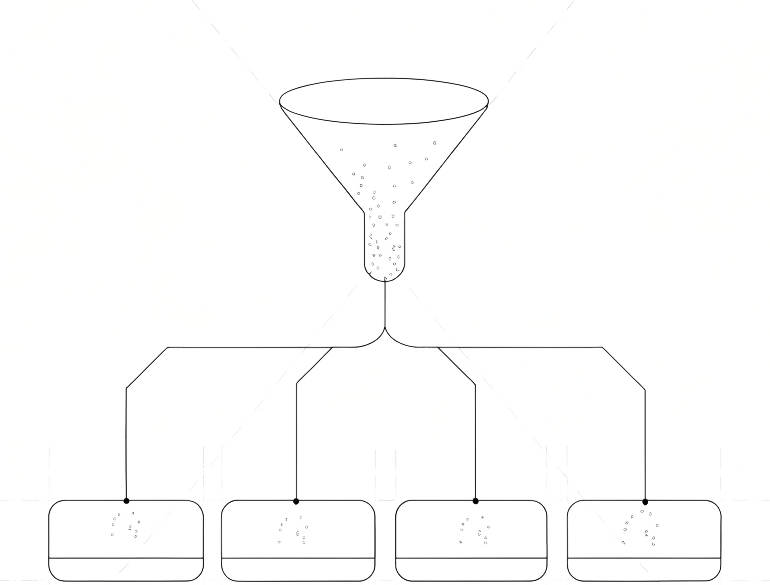
Layer scorecard automation rules from most specific to least specific, then add a fallback rule that catches everything else. Discovery calls get discovery scoring, demos get demo scoring, and anything that doesn't match a specific rule still gets a sensible default applied automatically.
Without a fallback rule, calls that don't match your conditions go unscored. That's a coaching blind spot.
Who this is for
Sales managers, RevOps, and enablement leads who own AI Coach configuration and want every external sales conversation scored automatically — without manually assigning scorecards after each call.
Prerequisites
- Admin or Manager role in Demodesk with access to AI Coach settings
- At least two scorecards already created (e.g., a Discovery scorecard, a Demo scorecard, and a default external scorecard)
- A consistent meeting naming convention your team already uses (e.g., “Discovery”, “Demo”, “Follow-up”)
- Recording and AI Coach activated for the users you want covered
Steps
1. Open the scorecard automation rules
Go to Agents → Automations → AI Coach. This is where you define which scorecard applies to which type of call.
If you've never set up rules before, you'll see an empty list. Each rule is evaluated top-to-bottom, so order matters.
2. Create your most precise rule first (Tier 1)
Add a rule that combines meeting name AND meeting context.
Example: Meeting name contains “Discovery” and meeting context is “External” → apply the Discovery Scorecard.
This rule only fires when both conditions match. That prevents an internal team meeting with “Discovery” in the title from triggering the wrong scorecard.
Repeat for every specific call type you coach against — Demo, Negotiation, Closing, Renewal, and so on.
3. Add mid-tier rules using meeting context only (Tier 2)
Below your Tier 1 rules, add rules that use meeting context only, without requiring a specific meeting name.
Example: Meeting context is “External Demo” → apply the Demo Scorecard.
These rules catch calls where the meeting name didn't follow your naming convention, but the calendar metadata still identifies the call type. They're more forgiving than Tier 1 and handle the long tail of inconsistently named meetings.
4. Create the fallback rule (Tier 3)
At the bottom of the list, add one final rule with the broadest possible condition: audience = external.
Assign it to your default external scorecard — a general-purpose sales scorecard that works for any external conversation.
This is the safety net. Any external call that didn't match Tier 1 or Tier 2 still gets scored. No call falls through.
5. Order rules from most precise to least precise
Drag and drop your rules into this order:
- Tier 1: meeting name + context (most precise)
- Tier 2: context only
- Tier 3: audience = external (fallback)
Demodesk evaluates rules top-to-bottom and applies the first match. A fallback rule sitting above your specific rules will catch every call before the precise rules fire.
6. Test with recent meetings
Pick a few recent recordings — one that should match Tier 1, one for Tier 2, one that should only reach Tier 3. Check which scorecard each one was scored against.
If a call hit the wrong scorecard, adjust your rule order or conditions. Iterate until the matches are clean.
7. Communicate the naming convention to your team
Rules work best when reps name their calendar invites consistently. Share the convention — “Discovery: [Company]”, “Demo: [Company]” — so Tier 1 rules fire more often and your coaching data stays clean.
Tips
- Start with three rules, not thirty. One precise, one mid-tier, one fallback. Add more only when calls are being scored incorrectly.
- Audit monthly. If your fallback rule is catching more calls than your specific rules, your Tier 1 conditions are probably too narrow.
- Use the fallback rule as a gaps tool. A high fallback hit rate tells you where your team's naming or calendar hygiene needs work.
- Match the scorecard to the actual conversation. A discovery scorecard scoring a renewal call produces misleading data. The hierarchy prevents this.
- Don't skip the fallback. The 5% of calls that don't match Tier 1 or Tier 2 are often the ones that teach you something new.